 Ahrefs tutorial
How to Check Mobile vs Desktop Rankings in Ahrefs
Learn how to compare mobile and desktop keyword rankings in Ahrefs Rank Tracker and avoid mixing device-specific search results.
Quick answer
The quick answer
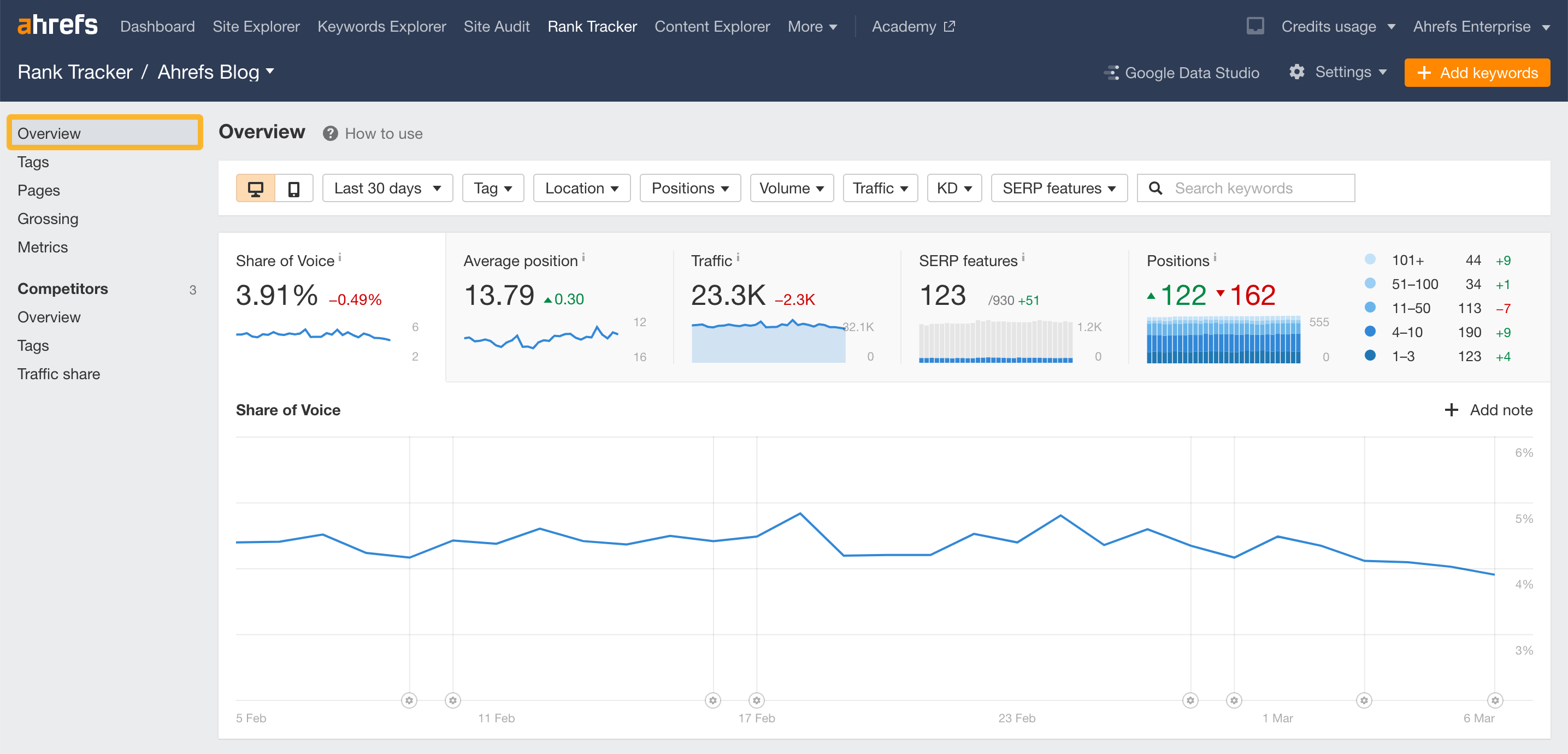
Open the correct Rank Tracker project, then use the device selector to view desktop or mobile data before checking positions and changes. Ahrefs Rank Tracker supports both device types. Do not compare a desktop report with a mobile manual search, because the result sets can differ.
Visual guide
The Ahrefs path
Click through the real product screens used in the steps below.
Step-by-step
How to Check Mobile vs Desktop Rankings in Ahrefs
- 01
Open the right Rank Tracker project
Open Rank Tracker and select the website project. Check that the keyword is already in the project, because Rank Tracker only reports on terms that have been added for tracking.
- 02
Select desktop or mobile in the device control
Use the device selector in the Rank Tracker report to switch between desktop and mobile data. Read the position, movement, and visibility data only after the device is selected.
- 03
Keep the location and date range the same
Hold the tracked location and reporting period constant while comparing devices. This keeps the comparison about device-specific results instead of mixing in a different market or time window.
- 04
Filter to the keyword group you want to diagnose
Use tags or keyword filters to focus on a product, content cluster, or campaign. Comparing a coherent group often reveals a pattern that a site-wide average hides.
- 05
Use Position History for a persistent gap
Open Position History for important terms and compare the device-specific trend. Ahrefs notes that Rank Tracker’s Position History graph can toggle between desktop and mobile rankings.
Read the report
What the main metrics mean
Desktop position
The keyword position Ahrefs recorded for desktop search in the selected tracked location.
Mobile position
The keyword position Ahrefs recorded for mobile search in the selected tracked location.
Change
Movement over the selected comparison period for the chosen device.
Location
The geographic market that must remain consistent when comparing devices.
Before you continue
- Compare desktop with desktop and mobile with mobile.
- Use the same tracked location on both views.
- Review the same keyword group and date range.
- Use ranking history before treating one device gap as a durable issue.
FAQ
Common questions
Can Ahrefs track both desktop and mobile rankings?
Yes. Ahrefs states that Rank Tracker provides desktop and mobile ranking data for tracked keywords.
Why are my mobile and desktop rankings different?
Google can return different result sets by device, and the competition, layout, and search behavior can differ. Compare the same location and time range before investigating the pages that rank on each device.
Does Site Explorer Organic Keywords show mobile rankings?
No. Ahrefs says Site Explorer’s Organic Keywords report shows desktop ranking data only. Use Rank Tracker for a mobile comparison of tracked terms.
Can I see historical desktop and mobile positions?
Yes. Ahrefs documents a desktop and mobile toggle in Rank Tracker’s Position History graph.
Sources and further reading
This guide was checked against Ahrefs product documentation:
 Reviewed by Filipe Lins DuarteCo-Founder & CEO
Vast experience talking to customers and users to understand what good software looks like. Background spans commercial and product roles.
 Checked by John RiceCo-Founder & CTO
15+ years building tech products and web applications. Conducted hundreds of user interviews to know what a good product looks like.
Every Marketraa page follows our editorial standards.