 Ahrefs tutorial
How to See Keyword Ranking History in Ahrefs
Learn how to view keyword ranking history in Ahrefs Rank Tracker and Site Explorer, compare dates, and investigate ranking URLs over time.
Quick answer
The quick answer
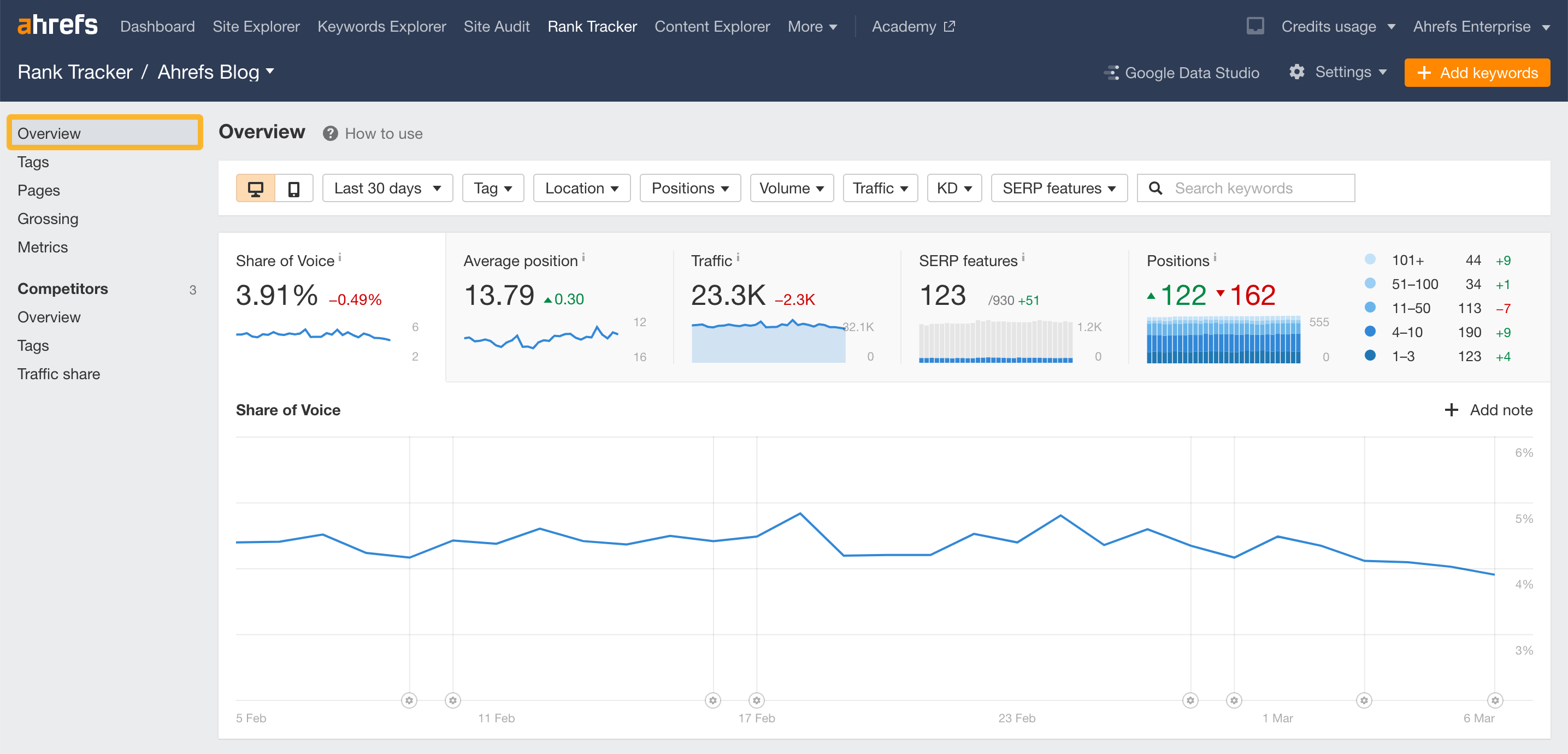
For a keyword you track, open Rank Tracker and use the Overview or Ranking History report, then open Position History for the term. For a broader organic-keyword view, use Site Explorer > Organic Keywords and click the chart control. How far back you can see depends on the report, your subscription data, and when a Rank Tracker keyword was added.
Visual guide
The Ahrefs path
Click through the real product screens used in the steps below.
Step-by-step
How to See Keyword Ranking History in Ahrefs
- 01
Decide whether Rank Tracker or Site Explorer answers the question
Use Rank Tracker for an intentional keyword list tied to a project. Use Site Explorer > Organic Keywords when you need history for terms Ahrefs has observed organically, including terms you did not add to a tracker.
- 02
Open the report that contains the keyword
In Rank Tracker, open Overview or Ranking History. In Site Explorer, open Organic Keywords. Find the term first, then use the report’s chart or Position History control instead of assuming one current ranking tells the story.
- 03
Open the Position History graph
Open the graph control for the keyword. Ahrefs’ Position History graph shows ranking URLs, the dates they were recorded, and the positions they held in Google results over the selected period.
- 04
Set a useful date range and position range
Choose the time frame that covers the change you are investigating. You can also narrow the graph to the top 10, 20, 50, or 100 positions, which makes a large history easier to read.
- 05
Compare URLs, devices, and SERP context
Check whether the ranking URL changed, and in Rank Tracker compare desktop and mobile if both are tracked. Ahrefs also annotates certain Google and Ahrefs updates, which can provide context but do not prove a cause on their own.
Read the report
What the main metrics mean
Position history
The recorded ranking positions and ranking URLs over the selected period.
Date range
The time window used to inspect the historical movement.
Top positions
A filter for the top 10, 20, 50, or 100 Google positions in the graph.
Ranking URL
The page Ahrefs found ranking for the keyword at a point in time.
Before you continue
- Compare the same location and device before calling a movement a trend.
- Check whether the ranking URL changed during the decline or gain.
- Use a date range long enough to separate normal volatility from a sustained shift.
- Treat update annotations as context, not a confirmed explanation for a ranking change.
FAQ
Common questions
How far back does Ahrefs ranking history go?
In Rank Tracker, history depends on when you first added the keyword to the project. Site Explorer history depends on the historical-data limits of your subscription. Ahrefs also offers an Import history option with specific limitations.
Can I see mobile keyword ranking history in Ahrefs?
Yes. Ahrefs says the Position History graph in Rank Tracker has a desktop and mobile ranking toggle. Site Explorer’s Organic Keywords report only shows desktop ranking data.
Can I compare ranking URLs in Ahrefs Position History?
Yes. The Position History graph lists ranking URLs and lets you inspect their movements. You can also add comparison domains or URLs in the graph where the feature is available.
Why does a keyword ranking history look different in Site Explorer and Rank Tracker?
The reports have separate data collection and different coverage. Rank Tracker uses the project’s tracked location and device settings, while Site Explorer uses its organic keyword database and country-level data.
Sources and further reading
This guide was checked against Ahrefs product documentation:
 Reviewed by Filipe Lins DuarteCo-Founder & CEO
Vast experience talking to customers and users to understand what good software looks like. Background spans commercial and product roles.
 Checked by John RiceCo-Founder & CTO
15+ years building tech products and web applications. Conducted hundreds of user interviews to know what a good product looks like.
Every Marketraa page follows our editorial standards.